
Most controller configurations are judged within the first few minutes. The user loads a profile, moves the camera, tries several inputs, and decides whether the setup feels responsive. That quick check is useful for finding obvious problems, but it does not reveal everything that can happen during a long session.
Rust Console creates a particularly useful example because one play session can move through many different activities and viewing distances. A player may spend time navigating, managing inventory, building, gathering, observing distant areas, and responding to close-range situations. The controller setup that feels comfortable during a brief test must remain understandable across all of those contexts.
This matters when comparing options in a Cronus Zen script hub for current console games. A Cronus Zen script can apply programmed rules to controller inputs, but it operates within a larger setup that includes the physical controller, cable, display, game settings, active profile, and the user’s own familiarity. Some weaknesses in that chain appear only after the system has been used for longer than a few minutes.
Short Tests Favour First Impressions
A short test answers basic questions. Does the controller connect? Does the script load? Can the user access the menu? Do the selected buttons and sticks respond? Can the active function be disabled? These checks should always happen before a longer evaluation.
However, short tests also favour novelty. A new sensitivity or response curve can feel exciting because it is different. A faster camera may appear more responsive, while a slower one may initially feel more controlled. Neither first impression shows whether the value will remain comfortable across an entire session.
The same applies to a script menu. A profile may be easy to find when the instructions are open on another screen. After an hour, the user needs to remember the controls without repeatedly checking the guide. If profile names or activation combinations are unclear, the usability problem becomes more noticeable over time.
Longer testing replaces novelty with familiarity. That is when users can judge whether the setup is genuinely clear and repeatable.
Rust Moves Through Several Controller Workflows
Many games keep the controller focused on one dominant activity. Rust frequently changes the type of input being used. General movement and camera control are followed by menu navigation, inventory management, construction actions, item selection, or observation across open spaces.
These transitions matter because a setting comfortable in one workflow may be inconvenient in another. A very fast camera might support broad turns but feel difficult when selecting a precise point. A slow camera may seem stable during a quiet test but become tiring when the user repeatedly checks a larger area.
Button layout also affects these transitions. If a scripted shortcut overlaps with a normal game command or is too easy to activate accidentally, the problem may not appear during a narrow practice test. It becomes clearer after the user moves repeatedly between gameplay and menus.
A practical setup should therefore be tested as a workflow rather than a single function. The user needs to confirm that ordinary controls, script commands, profile changes, and menu navigation can coexist without confusion.
Physical Controller Condition Becomes More Visible
Small controller problems can be easy to overlook during a quick test. Slight stick drift may not appear until the stick has been moved repeatedly and allowed to return to centre under different conditions. A loose cable may remain connected while the controller is still, then move during a longer session. A worn button may register most presses but miss occasional inputs.
These are hardware issues, not script-value issues. A Cronus Zen profile cannot repair a worn analogue module, damaged connector, or inconsistent button. Trying to compensate through unrelated values may hide the symptom temporarily while making the rest of the configuration harder to understand.
The physical controller should be tested without scripted behaviour before any profile is evaluated. Confirm that both sticks centre normally, triggers register consistently, buttons respond, and the connection remains stable while the controller is handled naturally.
It can also help to compare a second known-working cable or controller when a repeatable hardware problem is suspected. The important point is to change only one component at a time so the cause remains identifiable.
Battery and Connection Choices Matter Over Time
Wireless and wired setups can both be practical when supported, but they introduce different variables. A short test may begin with a fully charged controller and an untouched cable. A longer session is more likely to reveal battery warnings, power-management behaviour, connector movement, or an intermittent lead.
Users should know whether the cable carries both power and data, whether the controller needs a particular authentication method, and which connection path the script documentation supports. Extra hubs, extension leads, and adapters add more points that may need to be isolated during troubleshooting.
Cable position deserves attention as well. A lead placed under tension can move when the user changes posture or sets the controller down. Securing the device and leaving enough slack helps the setup remain consistent.
If the controller disconnects or inputs stop registering, the connection path should be checked before the script is edited. A programmed value cannot solve a physical data interruption.
Comfort Changes After the Setup Stops Feeling New
A sensitivity that feels impressive for five minutes may feel demanding after repeated use. This does not necessarily mean the game or script changed. The user may simply be experiencing the full effect of a configuration that requires more frequent large movements or finer corrections than their previous setup.
This is one reason moderate, predictable values can be more useful than extremes. A balanced setup should support broad navigation and smaller deliberate adjustments without forcing the user to fight the controller at either end of its range.
Field of view, screen size, viewing distance, response curve, and dead zones all contribute to perceived comfort. The same sensitivity number can feel different on another display or with another controller. These settings should be recorded together rather than treated as independent recommendations.
Regular breaks are also sensible during a long session. They give the user a chance to return with a clearer impression instead of continuing to adjust values simply because concentration has dropped.
Profile Memory Is a Real Usability Test
Script controls often seem simple while the manual is open. The stronger test is whether the user can identify the active profile and return to a neutral state later without guessing. Long sessions reveal whether the menu structure supports that memory.
Clear profile names are essential. A label based on a weapon group, input mode, or documented purpose is easier to remember than an unexplained slot number. If an indicator uses a colour, vibration pattern, or small display label, the documentation should explain it using the same terminology shown by the device.
Activation and disable commands should be distinct enough to avoid accidental input. A user should not need to restart the entire setup because they cannot identify which option is active.
A reliable neutral state makes experimentation safer. If a test profile feels wrong, the user can return to ordinary controller behaviour and compare the difference rather than continuing from an unknown configuration.
Why Rust Script Listings Need Complete Context
People reviewing Rust Cronus Zen scripts should look past feature counts and ask how the product is expected to fit into a full session. Useful listings explain supported platforms, controller assumptions, required game settings, available profiles, activation controls, disable commands, and version information.
Profile scope is particularly important. A product may use broad weapon categories, detailed weapon profiles, or more general gameplay modes. None of these structures is automatically best. The useful question is whether the organisation is understandable and matches how the user expects to switch contexts.
Version history also matters for a game and platform that may receive updates. A visible revision date and change log help buyers understand whether the product has been reviewed after relevant changes. Instructions should make clear which values are compatibility requirements and which are optional preferences.
Support information is part of the product as well. A buyer should know where to find the setup guide and what details to provide if a repeatable problem appears.
Evaluating Card Rust V7 Over More Than Five Minutes
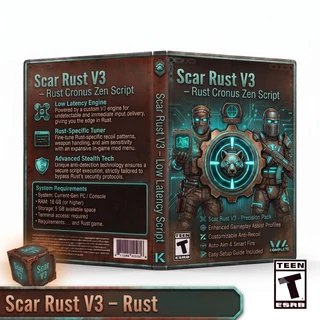
A product such as the Card Rust V7 Low Latency Cronus Zen script should be assessed through its documented inputs and compatibility, not through the product name alone. “Low latency” is a useful product label, but overall responsiveness still depends on the controller, cable, console, display, game performance, and configured settings.
Begin by reading the instructions in full. Record any required in-game values, supported connection method, menu controls, profile-selection process, and version information. Confirm the controller’s ordinary behaviour before loading the script.
For the first test, choose one relevant profile and use the documented baseline. Verify that the menu and indicators behave as described, then confirm the disable command. Optional functions should be introduced individually rather than enabled together.
After the short setup check, run a longer permitted test that includes several normal controller workflows. Move through the environment, navigate menus, change items, and return to ordinary camera control. The purpose is to see whether the profile remains understandable as the activity changes.
This process does not promise a particular in-game result. It provides a consistent method for deciding whether the script’s organisation and programmed behaviour suit the user’s system.
Latency Is a Complete Signal Path
Latency is often attributed to one device, but the visible response is created by a chain. The controller registers an input, the connected hardware processes it, the console and game handle it, and the display presents the result. Online conditions can also affect how responsive the overall experience feels.
A script cannot remove delay created by a television’s picture processing, an unstable connection, frame-rate changes, or a damaged cable. Users should keep these layers separate during testing.
Display settings are a useful starting point. A television may include a low-latency game mode, while other picture presets add processing. The same controller setup can feel different after the display mode changes even though the script has not been edited.
Game performance matters too. Uneven motion can make input feedback harder to interpret. If responsiveness changes only during visually busy moments, the user should check performance and display behaviour before rewriting profile values.
The best troubleshooting order follows the signal path: controller, cable and device connection, console recognition, game settings, display, script version, and active profile.
Use Checkpoints During a Long Test
A long test is more useful when it includes simple checkpoints. At the beginning, record the starting settings and profile. After a reasonable period, pause and note whether the controls still feel clear. Repeat the check after changing activity or profile.
The notes do not need to be detailed. A practical entry can include the time tested, controller and cable, game settings, script version, active profile, and one or two observations. The purpose is to preserve patterns that would otherwise be forgotten.
If a problem appears, record when it happened and what changed shortly beforehand. Did the user switch profiles, move from gameplay to a menu, change an in-game setting, reconnect the controller, or alter the display? This sequence can identify the relevant layer much faster than a general statement that the setup stopped feeling right.
Avoid changing a value immediately after one unusual event. Wait for a repeatable pattern. One missed input or uncomfortable moment may not represent the configuration as a whole.
Separate Working and Experimental Profiles
A known working baseline should be protected. When testing a new value, use a separate profile or clearly labelled copy if the script supports it. This prevents an experiment from overwriting the only reliable reference.
File names should include the script name, version, and purpose. Labels such as “new,” “final,” and “latest” become confusing after several revisions. A descriptive name makes it easier to confirm which file is loaded.
Screenshots are useful for game settings, while a short text note can explain the reason for a script-value change. Together, they create a complete reference that can be restored after an update or accidental reset.
If the experimental profile does not improve the longer session, return to the baseline rather than continuing to adjust from an uncertain state.
Retest After Updates Without Rebuilding Everything
Games, console software, device firmware, and scripts can all receive updates. A longer-session problem that appears after an update does not automatically mean the entire configuration must be replaced.
Start from the recorded baseline. Confirm that the game retained its sensitivity, dead zones, response curve, field of view, and button layout. Verify the controller connection, loaded script version, and active profile.
Then repeat a short functional test before committing to a long session. If the basic setup works, extend the test across several activities. If the difference appears only after a particular transition, that observation narrows the investigation.
Change one layer at a time and preserve working files. This approach takes less time than rebuilding every value and creates information that can be shared with support.
Use Third-Party Controller Tools Responsibly
Rules covering scripts and third-party devices vary across games, platforms, communities, and organised competitions. Users should check the current terms that apply to their intended environment before enabling scripted controller behaviour. A function being available does not make it permitted everywhere.
Initial and extended tests should take place in an allowed private or practice environment. Users need enough time to understand the controls, confirm profile indicators, and learn the disable command without affecting other players.
Accurate expectations are equally important. A Cronus Zen script processes programmed controller inputs. It does not see the screen, understand the player’s current activity, or make decisions about what should happen next.
Conclusion
Short controller tests are useful for confirming that a setup loads and responds, but they favour first impressions. Long Rust Console sessions reveal different information: whether the controller and cable remain stable, whether sensitivity stays comfortable, whether profile controls are memorable, and whether the configuration still makes sense as the player moves between activities.
A reliable evaluation begins with ordinary controller behaviour, documented game and display settings, one clearly identified profile, and a known neutral state. The user can then extend the test, add checkpoints, and change only one variable when a repeatable problem appears.
The best controller setup is not simply the one that feels impressive for five minutes. It is the one that remains clear, stable, and understandable throughout the full session.